Hold List
Background
The Hold plugin replicates the Eurocat Hold window and functionality, helping Enroute and Terminal controllers manage traffic in holding stacks or performing airwork over a specified location.
Installation
The plugin is included by default in the Australia and Pacific vatSys profiles provided by VATPAC. No installation action is required from controllers.
Important
Controllers should not install the plugin manually when using the Australia or Pacific vatSys profiles, as doing so can create unstable plugin behaviour.
Initiating a Hold
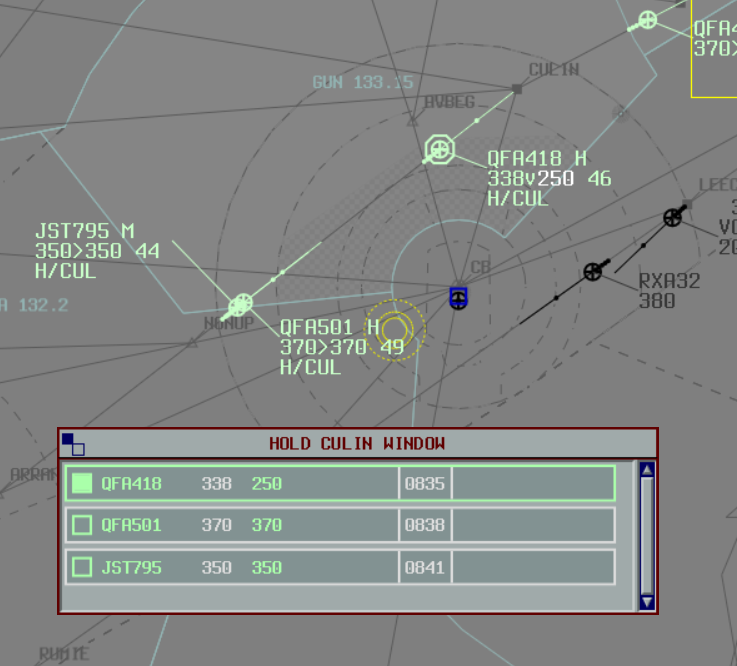
To initiate a hold, enter the hold details into the Label Data.
The hold information should be formatted as H\RIVET, where RIVET is the name of the holding waypoint.
The waypoint name can be shortened to as little as three characters (e.g. H\RIV).
An exit time can be specified by appending it to the holding point name, e.g. H\RIVET\29 to depart RIVET at 29-minutes past the hour.
The exit time can be adjusted directly from the list or by modifying the label.
When the exit time is set, the ETO for all subsequent waypoints are adjusted to reflect the hold exit time.
The hold can be cancelled by removing the details from the Label Data, or by rerouting the flight past the holding point.
Hold Lists
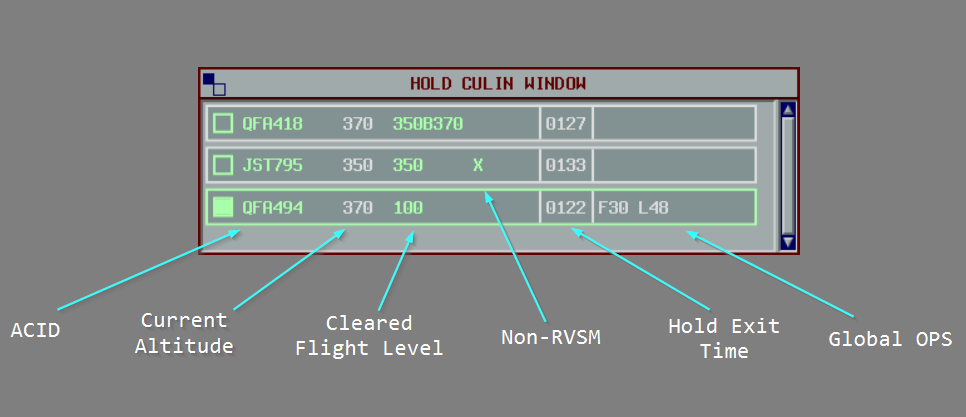
The hold list displays flights ordered by their CFL.
When a block clearance has been issued, the CFL is displayed as xxxByyy, where xxx is the lower level, and yyy is the upper level.
An X will be displayed if the aircraft is non-RVSM.
The hold exit time is displayed in the label and can be adjusted by clicking on it to select a new exit time.
The OP_DATA can also be viewed and edited from the hold label.
Configuring Lists
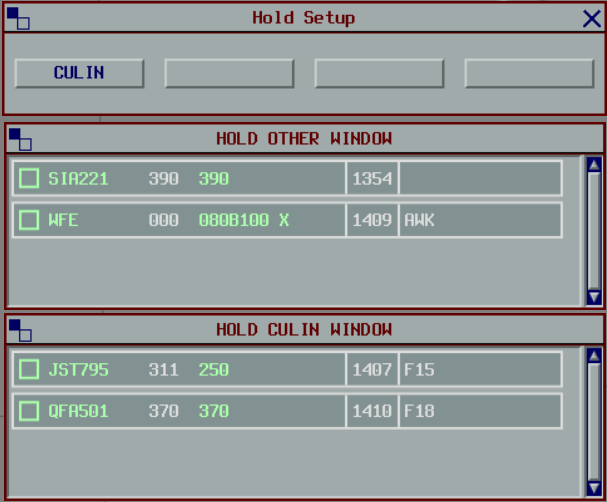
Up to 4 holding lists are available. When a hold is initiated at a waypoint that does not already have a list, one is created automatically. When all holds at that waypoint are removed, the list is freed and the slot becomes available again.
Lists can also be configured manually via Tools > Hold Setup. Manually configured lists are not freed automatically; they must be cleared via the Hold Setup window.
Any aircraft holding at a waypoint when all 4 lists are already occupied will be placed in the OTHER list.